- Navigate to your ICON course.
- In the ICON navigation menu to the left, select Settings.
- In the tabs across the top, select Feature Options.

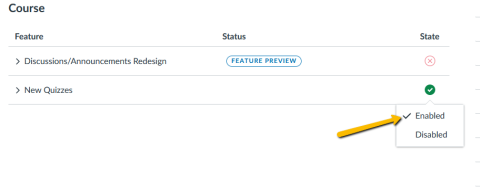
- Under Feature Options, find the circle under State, and click that, selecting Enabled.
- New Quizzes is now an option in your course.